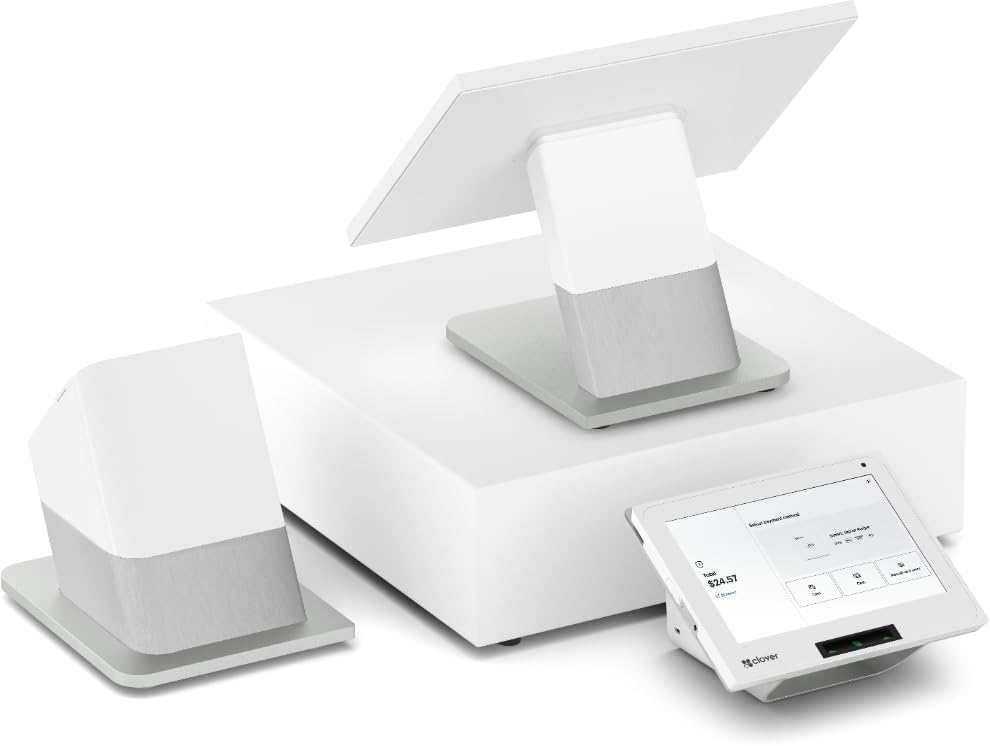
At the counter or table
Build the order on your countertop POS or a supported handheld. Use the menu, modifiers, and item labels that match your service.
For counters, tables, kitchens, and bars
Stop re-entering delivery orders and calling tickets across the room. Put the counter, tables, kitchen, and bar into a Clover setup designed around how your restaurant works.
We confirm the devices, restaurant plan, integrations, and costs before you choose.
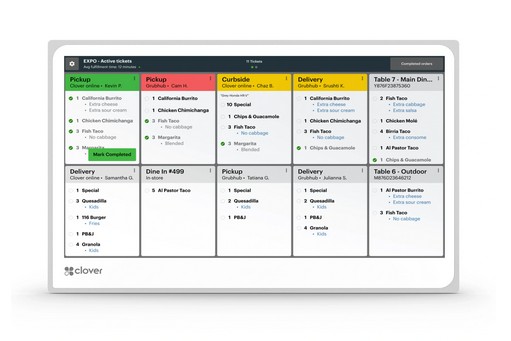
From the order to the person preparing it
Item labels and compatible kitchen tools help route the right work to the right place. StarAccept helps configure the destinations and test an order through your stations.
Build the order on your countertop POS or a supported handheld. Use the menu, modifiers, and item labels that match your service.
Route items to compatible KDS screens or kitchen and bar printers. Choose which stations see or print each ticket.
Use POS printing and the selected kitchen workflow for receipts, order tickets, and handoff. We test the details with your team.
Routing behavior depends on your Clover restaurant plan, device configuration, and connected KDS or printer models.
Delivery orders, fewer separate tablets
Native integrations can deliver supported marketplace orders into your POS and keep the online menu connected. Your staff can work from the order rather than keying it in again.
| Order source | What it connects | What to confirm |
|---|---|---|
| Uber Eats | Menu and order connection to Clover | Account activation, menu setup, and marketplace terms |
| Grubhub | Orders sent to Clover from the linked online menu | Supported account, menu, and delivery/pickup settings |
| DoorDash | Orders sent to Clover with POS or kitchen printing | Printing setup; some Dasher and cancellation tasks still use DoorDash |
Marketplace commissions, delivery charges, and plan or app fees may apply. Integration does not remove every delivery-platform management task.
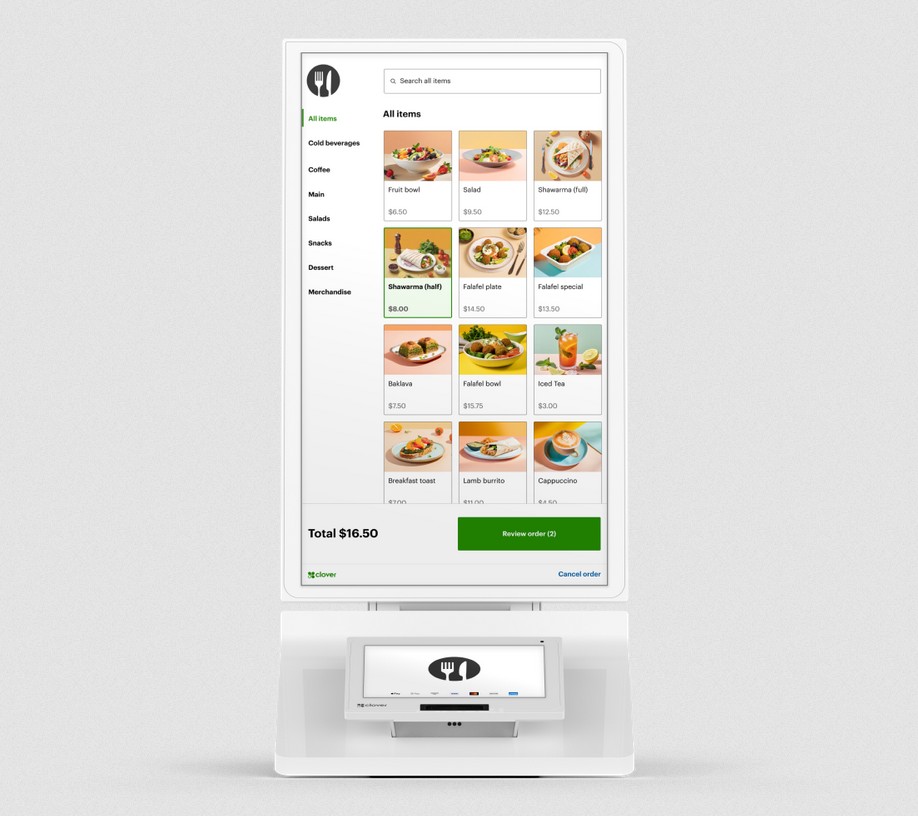
Let guests build their order
Clover Kiosk lets guests browse, customize, and pay. The order joins your Clover workflow and goes to a compatible KDS or kitchen printer.
Plan categories, modifiers, item availability, and what the guest sees before the payment.
Compare countertop, wall-mounted, or floor-standing arrangements with space for customers to use them.
Check the guest order, payment, kitchen ticket, and pickup process together.
Before you choose
Direct Clover online ordering is available with eligible restaurant plans. We confirm the plan, printer requirements, and any marketplace or app charges with your quote.
Native integrations reduce separate order-entry tablets. Some delivery tracking, account-management, or cancellation tasks still require the platform’s own app or dashboard.
StarAccept works with new or replacement Clover hardware. We do not reprogram a Clover supplied by another provider; equipment and agreement requirements are reviewed before a switch.
Choose the next detail
Your next step
Tell us your service style, number of stations, delivery platforms, and opening or changeover date. We’ll plan the setup and explain the costs.