
Send an invoice. Give them a place to pay.
Use a supported hosted checkout from an email or your website, without asking customers to call in card details. Keep the transaction recorded in your payment account.
Find my online payment optionFor owners opening, switching, or expanding
Extra order tablets, manual inventory updates, and confusing charges take time from your business. We help you choose a POS and payment setup, connect the right tools, and get your team ready to use it.
No commitment required to get a quote. Already processing? Start with your statement.
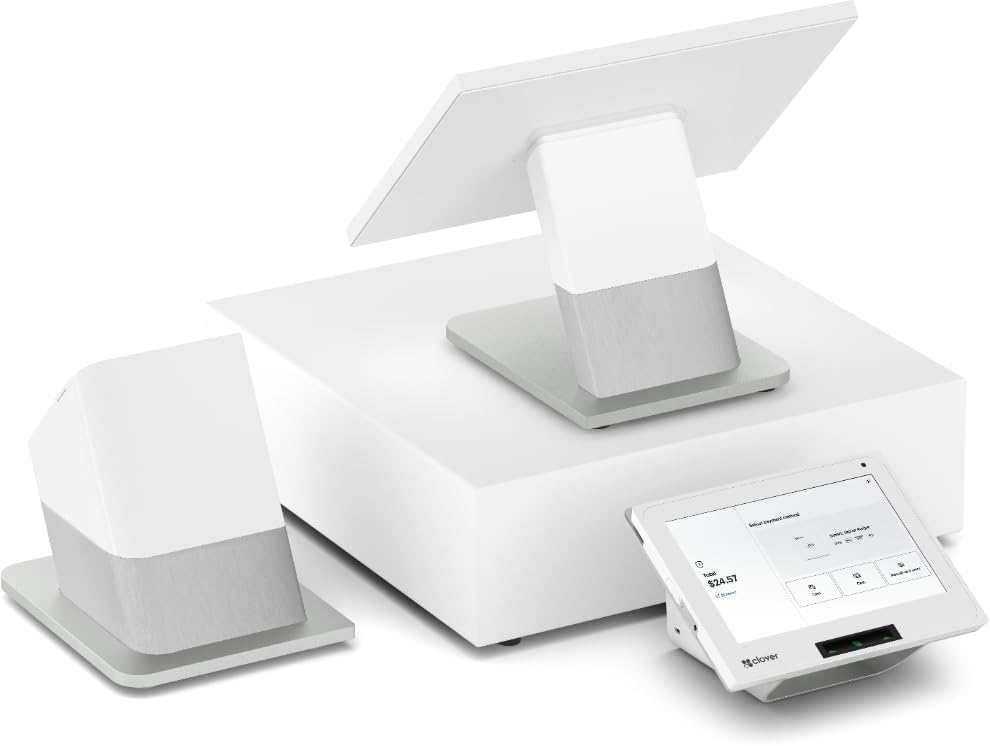 Pick the hardware
Payment processing through Fiserv / CardConnect.
From your first counter to your next location.
Start with the work
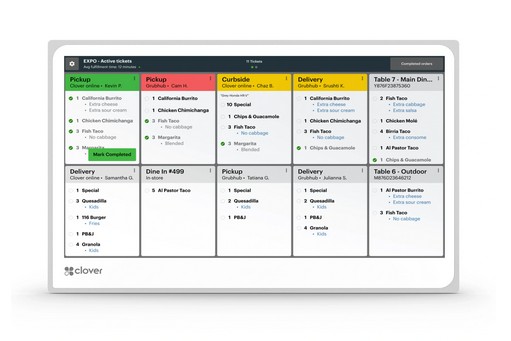
Native Clover integrations bring Uber Eats, Grubhub, and DoorDash orders into your POS. Your team can work from the order instead of re-entering it from a separate tablet.
Integration availability, restaurant plans, and marketplace charges vary. Some delivery-management tasks still use the platform’s app. We configure and test routing for your stations.
See stock by size, color, or item, and keep sales and customer records together. For liquor stores, sneaker shops, and jewelers, we match the inventory tools and scanners to what you sell.
Inventory features and specialist apps depend on your plan and setup.
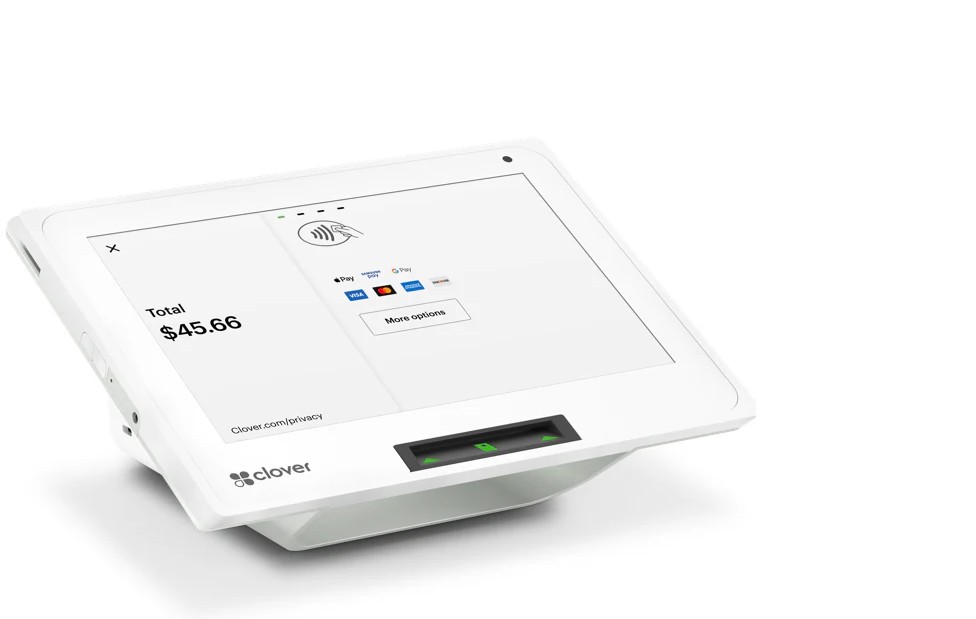
When your day runs on appointments or memberships, payments should fit that schedule. Bring your salon, nail studio, grooming, or gym software; we’ll work through compatible booking, invoicing, and repeat billing options.
App compatibility and subscription costs are checked before you choose.
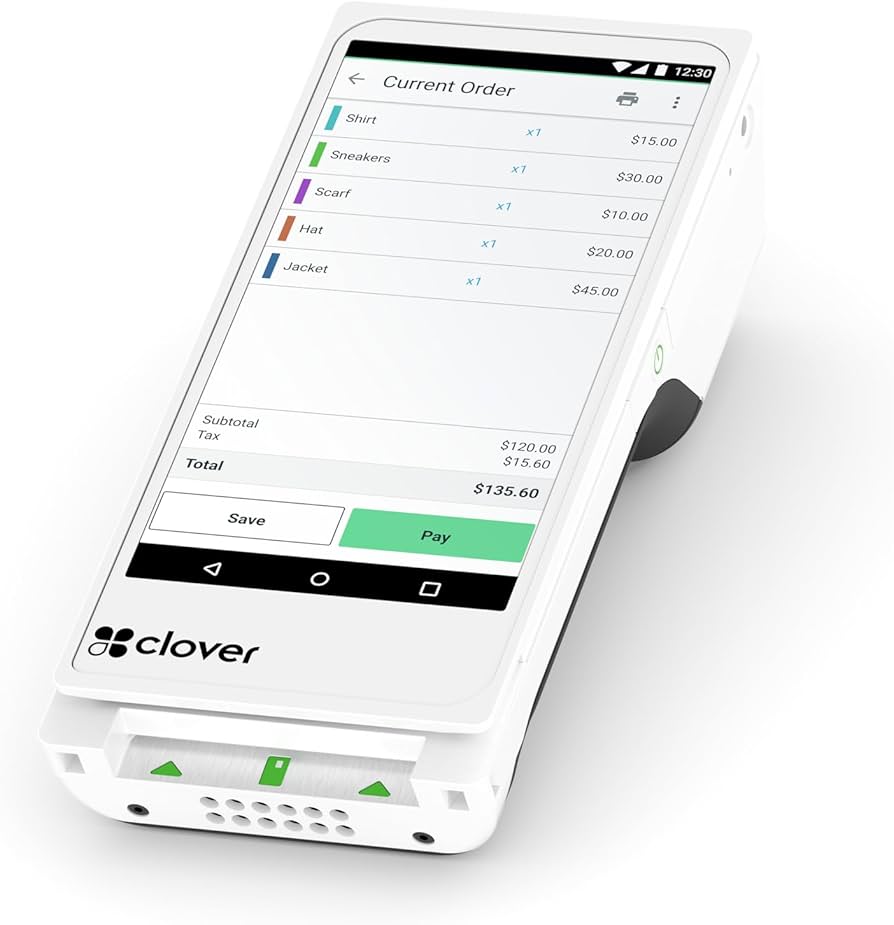
Opening another location or taking business and corporate cards? Bring your location list, software, and a recent statement. See your reporting options alongside the equipment and processing costs.
Integration support and rate eligibility depend on your setup, card types, and transaction data.
Gas station, medical practice, or another specialist setup? Start with your current software, equipment, and operating requirements. We check compatible options before suggesting a change.
Explore specialist setupsClover + other supported systems
Explore Clover devices, Kiosk, and other supported POS or terminals, including Dejavoo. Already have software you like? Start with its payment connection. Ask for direct partner pricing on the setup you choose.
AT THE MAIN COUNTER
A countertop system with separate merchant and customer displays. Compare this when checkout, item management, and receipts happen in one place.
WHEN COUNTER SPACE MATTERS
A compact touchscreen POS with a built-in receipt printer. Compare this for a smaller counter, then match the software plan and accessories to your work.
AT THE TABLE OR ON THE FLOOR
A handheld POS with a receipt printer. Compare this for tableside service, curbside pickup, or payments elsewhere in your business.
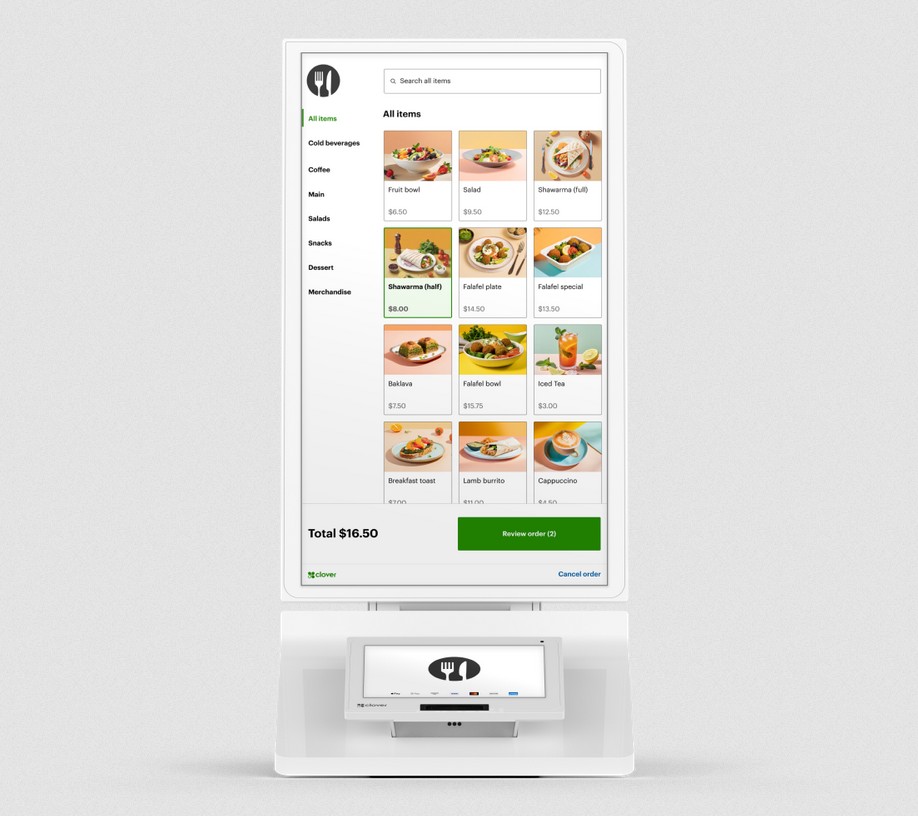
WHEN GUESTS ORDER FOR THEMSELVES
Guests browse your menu, customize their order, and pay at a self-ordering station. Clover Kiosk syncs with your POS menu and sends orders to a compatible KDS or kitchen printer.
Start with the model you want.
YOUR PREFERRED HARDWARE
Prefer Dejavoo or another system? Tell us the brand, model, or style. We’ll confirm support, match the account and software connection, and quote the available setup through our partners.
Start with how your team gets paid.
KEEP YOUR EXISTING TOOLS IN THE PLAN
Send us the name and version of your booking, membership, or business software. We’ll confirm available CardPointe and other partner connections, then quote the supported service and any hardware it needs.
Tell us the model or service you want. We confirm availability and compatibility, then quote hardware, software, accessories, and purchase or lease terms through our partners.
See the Clover hardware lineupAway from the POS
Not every sale happens next to a card reader. We review how you sell, how customers authorize payment, and where the records need to go.
Review my payment optionsUse a supported hosted checkout from an email or your website, without asking customers to call in card details. Keep the transaction recorded in your payment account.
Find my online payment optionA virtual terminal can handle phone orders without a full POS. Set staff permissions for taking payments, issuing refunds, and viewing transactions.
Ask about a virtual terminalFor gyms, memberships, and repeat services, use supported recurring billing instead of re-entering each charge. We help configure the tools and customer authorizations.
Plan my recurring billingAsk about ACH or eCheck for invoices and repeat billing. Availability, customer authorization, and account terms are confirmed before setup.
Check ACH availabilityBefore you sign
A low advertised rate doesn’t show the whole bill. Bring a recent statement. We’ll explain your current charges and show the hardware, software, app, and processing costs of a proposed setup together.
Opening soon? Tell us the date. We’ll work through the devices, menu or item list, receipts, and training that need to be ready for day one.
Request my cost reviewWhat your quote should include
See the total cost and the support plan before you decide.
For software companies & developers
Building a product or reviewing your current processing partner? Bring us the payment flow, supported devices, reporting needs, and partner terms. We’ll work through the integration options with you.
Available through supported Fiserv / CardConnect connections. The requirements determine the integration.
Equipment. Agreements. Ongoing help.
We work with new or replacement Clover hardware; we do not reprogram a Clover supplied by another provider. Before discussing a switch, we review your current equipment, agreement, and any replacement requirements.
Availability depends on the restaurant plan and connector. Some online-ordering features are included in eligible plans; delivery marketplaces, connectors, and other apps may charge separately. We review those costs before recommending them.
Start with the software name, version, and how it currently takes payments. We check supported gateways, devices, and integration requirements before recommending a connection.
No. Browser-based virtual terminals, hosted payment pages, and compatible billing tools can handle payments away from a POS device. The right combination depends on your account and workflow.
Tell us your current system, business type, and what you want to improve. If you already process payments, a recent statement helps us compare the charges. Use the form to arrange the review; we will explain how to share the documents.
Contact StarAccept for help with your account, setup, and next steps. For Clover device troubleshooting, use Help on the device or the support number on your merchant statement. Third-party apps may have their own support teams.
Your hardware. Your costs. Your questions.
Tell us what you sell, the system you use, and what needs to change. We’ll recommend a setup and explain the hardware, software, and processing costs. Opening soon? Include the date.
No commitment required to get a quote.
¿Prefieres hablar en español?Leave your details. A StarAccept specialist will follow up.
Loading the consultation form…