
Request payment online
Choose the payment-request tool, the business information shown, and where the accepted transaction is recorded.
For payments beyond the counter
At the desk, by invoice, or on a schedule—choose payment tools that fit the sale. StarAccept helps connect the account, configure access, and explain the costs.
Invoiced work and online checkout
Supported emailed invoice and checkout tools let customers pay without calling in card details. Clover invoicing and compatible billing applications are options to discuss for your account.
Choose the payment-request tool, the business information shown, and where the accepted transaction is recorded.
For supported accounting and invoicing connections, confirm the software version, account, and any app subscriptions.
Availability and charges vary by tool and account. Legacy hosted-payment products are not assumed to be available to every new merchant.
Browser-based checkout
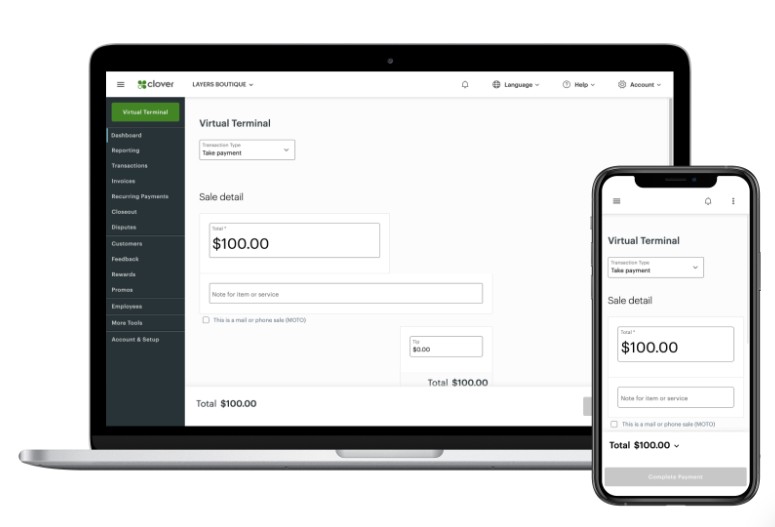
A Clover or CardPointe browser-based terminal can handle eligible manually entered payments through the appropriate merchant account.
Set permissions for taking payments, refunds, and transaction records. We help identify the controls available in your selected tool.
Confirm what the customer receives and where your team can find the payment record afterward.
Manually entered transactions have their own processing and account requirements. We review those terms alongside your other payment methods.
Memberships and repeat services
Use compatible billing plans for the recurring charge and confirm what happens when a payment fails.
Work through enrollment, stored payment methods, cancellation, and the records your business needs.
For a gym, salon, or other service business, confirm that the membership or booking system supports the chosen payment connection.
Invoices and supported recurring bills
The gateway, merchant account, and billing tool determine availability. We check them before quoting the service.
Review customer authorization, timing, return handling, and account charges before using a bank-payment workflow.
Look at the supported payment option alongside your card, invoicing, and recurring-billing tools.
Bank-payment availability, processing timing, and terms are account-specific. Do not submit bank or payment-card details through this website’s consultation form.
Choose the next detail
Your next step
In person, by phone, online, or on a schedule? Bring the current software and the part you want to improve. We’ll identify supported tools and quote the setup.